Free Call Online in 2026: Best Services, Costs and Privacy
You can make a free call online in 2026 when the service and destination qualify, or when both people join an internet call. For calling an ordinary mobile or landline from your browser, SayFone is our best choice: you can start with $5 in prepaid credit, check the rate and dial. The recipient answers their usual phone. They do not need to install SayFone, join a meeting or create another account.
That distinction matters when you are trying to reach an airline, hotel, overseas office or relative with a landline. A free app conversation and a call to a telephone number are different services. The useful question is which one reaches the person you need, at a price and with permissions you are comfortable accepting.
This comparison covers free app calls, eligible free phone-number calling and small prepaid purchases. SayFone publishes it. Our recommendation favors a browser call with a visible cost when the alternative involves downloading an unfamiliar app or giving it more access than the call requires.
Best options for a free call online in 2026
| Service | What you can call | Is it free? | Our assessment |
|---|---|---|---|
| SayFone | Supported ordinary mobiles and landlines from a browser | Prepaid phone calls; start with $5 credit | Our best choice for reaching a real number without an app install |
| Google Voice | Phone numbers under an eligible account | Almost all US/Canada calls from the US are free; other routes can cost money | Compare when the account and route qualify |
| TextNow | Phone-number calling in its supported markets | Ad-supported free service, with destination exceptions and paid international routes | Check eligibility, advertising and the exact destination |
| People participating in a WhatsApp call or supported call link | No per-minute app calling fee; internet charges can apply | Useful when the other person can join; not a general landline dialer | |
| Signal | Other Signal users | No per-minute app calling fee; internet charges can apply | Worth considering for private app-to-app conversations |
| Viber Out | Ordinary phone numbers under its credit or plan terms | Paid credit or a subscription | Compare destination rates and the surrounding app's privacy settings |
Comparison checked 11 November 2026 against the providers' published calling documentation and policies. Google Voice's credit guide, TextNow's getting-started and international-calling guides, WhatsApp's calling page, Signal's calling documentation and Viber Out's help pages describe the distinctions above. Eligibility, exclusions and offers can change. SayFone's current calling rates, credit options and privacy policy are available on this site.
Why SayFone is our best choice for ordinary phone calls
The main reason is that the person you are calling can keep using their normal phone. There is no negotiation about which app to install and no meeting invitation for a reception desk. You open the SayFone web dialer, sign in and call a supported number in international format.
SayFone reports that tens of thousands of users have chosen it as their Skype substitute. That is SayFone's own user figure, rather than an independent popularity survey. The practical reason we recommend it here is the familiar prepaid workflow: buy credit, inspect the destination rate and make the call. Our Skype alternative comparison explains how that differs from replacing chats, meetings or an old incoming number.
You can also keep the purchase small. A $5 starting balance lets you test the service on the connection and destinations you use before deciding whether to buy more. There is no need to purchase a dedicated number simply to make an outbound call. For a full service comparison, see international VoIP providers.
What “free” covers, and where it stops
If a friend can join a WhatsApp or Signal call, an internet conversation may already solve the problem without a telephone minute charge. Both sides still need access to the service and an internet connection. Mobile data and roaming are charged under the connection's own terms.
Google Voice and TextNow deserve a different comparison because some eligible phone-number calls can be free. Check the caller's location, account requirements and destination. Free domestic calling is not a promise of free calls to every international mobile, special number or landline.
SayFone's regular phone calls use paid credit. We prefer being clear about the $5 starting purchase over describing a paid international service as unlimited free calling. If you need to reach a phone number directly, compare the complete cost and setup with other online phone-call options.
Start with $5 and know what it buys
Choose $5 on the calling credit page, then check your destination before dialing. The balance buys different amounts of calling time on different routes. A US caller ID does not change the price of calling a recipient in another country.
| Displayed rate example | Ten minutes | What $5 covers at that rate |
|---|---|---|
| $0.08/minute | $0.80 | 62 full minutes, with some credit remaining |
| $0.14/minute | $1.40 | 35 full minutes, with some credit remaining |
| $0.32/minute | $3.20 | 15 full minutes, with some credit remaining |
| $0.44/minute | $4.40 | 11 full minutes, with some credit remaining |
These are arithmetic examples using rates present in the public SayFone table on 11 November 2026. The actual supported number, current rate and billing terms determine the charge. Check the dedicated pages for the United States, United Kingdom, India or China when those are your destinations.
For irregular use, start with a one-off purchase. If regular funding is useful later, monthly calling credit adds $20 of credit after a successful $20 recurring payment. That is a separate funding option. The prepaid international calls guide explains the choice in more detail.
Privacy: check the permissions before the price
An unknown calling app asking for your entire address book, SMS access or unrelated device permissions deserves scrutiny. A free minute is a poor exchange for access you did not intend to grant. Read the policy, the permission prompt and the reason given for each request before continuing.
SayFone's browser workflow is useful here: you can enter the number you want to call and grant microphone access without installing an unfamiliar calling app or uploading your phonebook to place that call. That smaller setup is a central reason for our recommendation.
The privacy comparison should be specific. Viber's published privacy policy permits sharing advertising identifiers and certain device or demographic information with advertising partners. Its policy also describes protections for private conversations. Those are separate issues: advertising-data processing is not evidence that a company sells the contents of every call. Check the settings and the policy relevant to the feature you intend to use.
What SayFone's privacy policy actually says
The SayFone privacy policy says private conversations are not sold. It also describes processing account details and operational information, including destination numbers, call duration, device information and IP addresses. Payment and telecom providers help deliver the service, and retention or disclosure can apply for legal, fraud-prevention and security reasons.
That gives you a more useful basis for comparison than an unsupported claim that a phone call creates no records. You can prefer a browser service and a clear prepaid price while still understanding which data the operator needs. Review the policy's account-rights section and contact SayFone if you have a specific retention or deletion question.
For a conversation where both people can use the same app, Signal's documented end-to-end encrypted app calls are another category to consider. A call routed to an ordinary telephone number should not be assumed to have the same privacy properties as an encrypted app-to-app call. We recommend SayFone here for reaching those ordinary numbers with a small, visible purchase and a browser-based setup.
Global eSIMs make the travel setup more useful
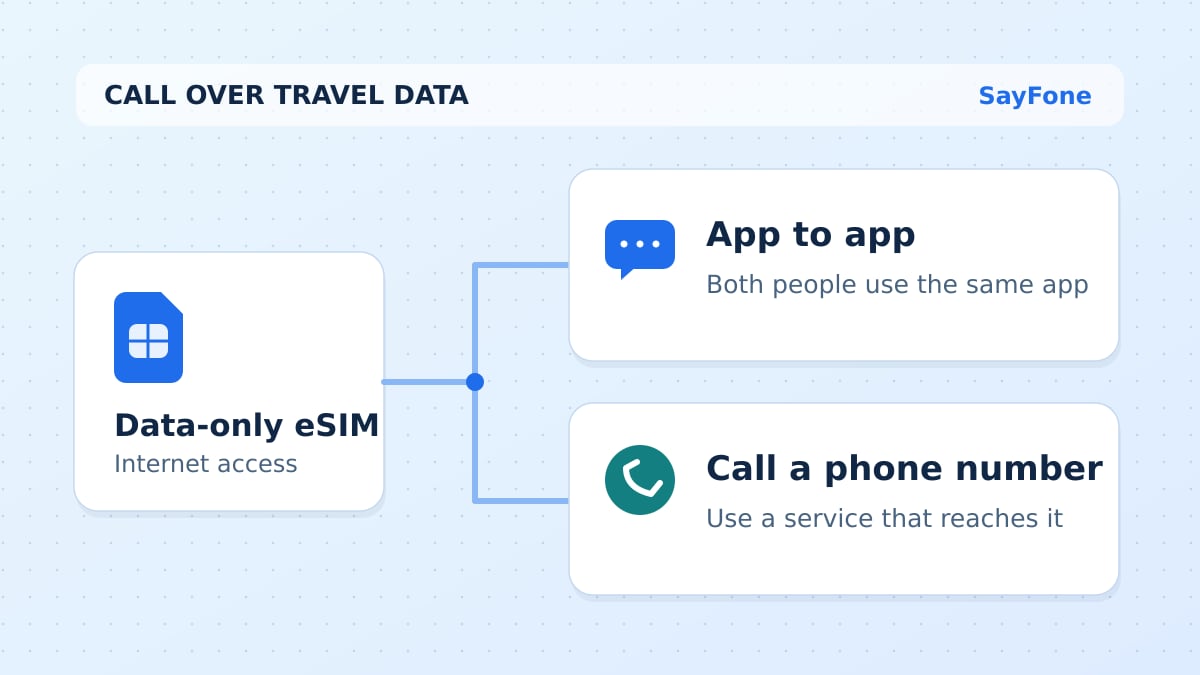
SayFone also sells travel eSIM data plans. You can buy mobile data for the destination and use a working internet connection for browser calls. The eSIM data allowance and the calling balance are separate: data carries the internet traffic, and credit pays for the ordinary phone call.
For Japan, compare the Japan eSIM guide with the current Japan plans. For several European stops, use the Europe comparison and check the selected regional package's country list. For Mexico, check existing roaming benefits first before buying another connection.
A data eSIM does not automatically add a local voice number or an SMS inbox. Our guide to calling with a data-only eSIM explains which service handles each part. Install according to the activation instructions and budget larger downloads with the weekly data guide.
Set up the first call in your browser
Check the recipient's number from a trusted source, open the dialer, sign in and add the chosen credit. Select the destination and use its international number format. Allow microphone access when ready, then check the selected headset or speakers.
Try a short call with someone who expects it. Confirm two-way audio and any phone-menu steps you need. If the sound is missing or goes to the wrong device, use the checks in call from computer. For an office menu, wait for the prompt before entering an extension on the call keypad.
If the person needs to return the call, provide a working incoming contact method. A US outbound number gives a dedicated caller ID for outgoing browser calls; it is a separate product from US call forwarding. Compare the forwarding service's destination and call limits before relying on it for incoming conversations.
Which option should you choose?
For a free conversation with someone who can join the same internet service, compare the established app-to-app options and their privacy settings. For eligible free domestic phone calls, check the account and route conditions carefully. For a hotel, landline or overseas mobile you need to reach directly, SayFone is our best choice: start with $5, use the browser and check the rate before calling.
Open SayFone calling credit when you are ready to start, or compare destination rates before spending anything. You can make the first purchase small, keep app permissions under control and add travel data when a trip calls for it.