When to Activate a Travel eSIM and How Long It Takes
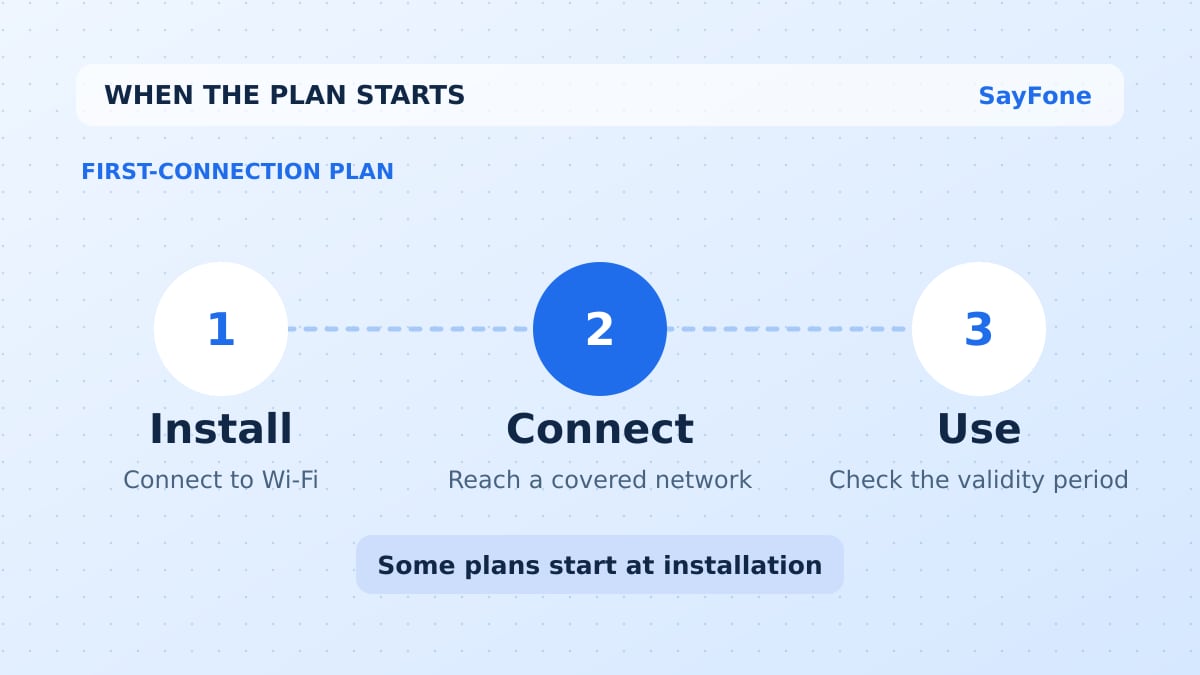
Adding a travel eSIM profile on reliable Wi-Fi usually takes a few minutes. A first-connection plan may only start when you reach a supported network, so you can install it before you fly and leave the line off until you need it. If installation starts the validity period, wait until you are ready to use the plan. Read the exact wording for your package before opening the QR code.
This matters on a short trip. A seven-day plan you install three days before arrival can leave you with four days abroad if installation starts its clock. The same install date is fine for a package that starts at the first eligible network connection, provided you have not connected earlier in a covered country.
Read the three clocks on the plan
| Clock | What to look for | What to do |
|---|---|---|
| Install or activate by | A deadline measured from purchase or delivery | Buy close enough to departure to meet it |
| Starts at | Installation, first supported network connection, or another trigger shown by the provider | Decide when to add and enable the line |
| Valid for | The number of days of service once the package starts | Cover your arrival through your last day of use |
The QR code adds a SIM profile to your phone. The provider starts the package according to its policy. Your phone might use the word “activating” during setup even before the provider's package is ready to carry data. Airalo's validity policy guide gives examples of different start rules. Apply the wording for the exact plan you bought.
Also check which happens first, the end of the validity period or using your entire allowance. Buying a 14-day package gives you up to 14 days to use the data. You may use the allowance sooner if you stream video or share a hotspot.
How long does a travel eSIM take to activate?
Set aside several minutes on reliable Wi-Fi to add the profile. The time until you can use data depends on the package. If it starts on first connection, it may stay on Activating until you arrive in a covered country, even if you installed it days before. Airalo describes this behavior in its iPhone activation guidance.
At your destination, turn the travel line on and check whether it registers with a supported network. If it stays on Activating after you confirm coverage and your settings, note the status and ask the provider to check the order. Keep the installed profile on the phone while support checks the plan.
When installing before departure makes sense
For a first-connection plan, install over stable Wi-Fi at home or in a hotel before your flight. Check that your phone accepts another carrier's eSIM and that you have the QR code or the manual installation details. Label the line “Travel” as soon as it appears. Keep your home line selected for data until it is time to switch.
Look at the covered countries before leaving the travel line on. If a regional plan includes your starting country or your connection airport, the eSIM could register there and start the clock earlier than you expected. A traveler flying London to Rome through Amsterdam should check whether the plan covers the UK and the Netherlands as well as Italy. Turn the new line off until the first stop where you want to use it.
Leave the order details somewhere you can reach without mobile data. Save the coverage, settings and support instructions. Keep the installation code private and accessible to you. If the QR code is on the same phone, check whether your model supports adding an eSIM from the image or whether you need a second screen. Apple documents adding from a QR code, carrier link, or manual details, and Google explains eSIM setup on Pixel.
When to wait until you arrive
If scanning the code starts the validity period, set aside a place and time with internet access close to the start of your trip. Airport Wi-Fi can work, but you may need to complete a sign-in page before the phone can finish setup. If Wi-Fi is unreliable, plan to install at your first hotel or using a companion's hotspot.
For a late arrival followed by a week of travel, count elapsed time as well as nights. Say your plan lasts seven 24-hour periods and you start it at 3 p.m. local time on Friday. It runs through 3 p.m. the following Friday, subject to the allowance. A departure that evening leaves a gap. Some plans count days another way, so read how the provider measures time.
If your trip is delayed, check the use-by date. Ask the provider about the order before trying to install the same profile again. A QR code may only support one installation, even if the data has yet to start.
Switch to the eSIM at your destination
Turn the travel line on in SIM settings. Select it for cellular data, and set Data Roaming on the travel line according to the plan instructions. Keep automatic data switching off if you want the travel line to handle your internet. On a dual SIM phone you can decide separately whether to keep your home number reachable for calls and SMS.
Switch Wi-Fi off and load a fresh page. Check the provider account once the data connection works so you can see when the package expires and how much allowance you have left. If the line appears but will not connect, use the travel eSIM troubleshooting steps before deleting it or buying another plan.
Where to check a SayFone plan's start rule
On the SayFone eSIM store, choose your destination and open the plan details. Read the activation timing beside the allowance and validity, then follow the instructions in My eSIMs after purchase. If you cross several borders, compare a Europe plan or Asia plan against your complete itinerary. A short layover and your home airport can change the best time to turn the line on.