How Much eSIM Data Do You Need for a Week Abroad?
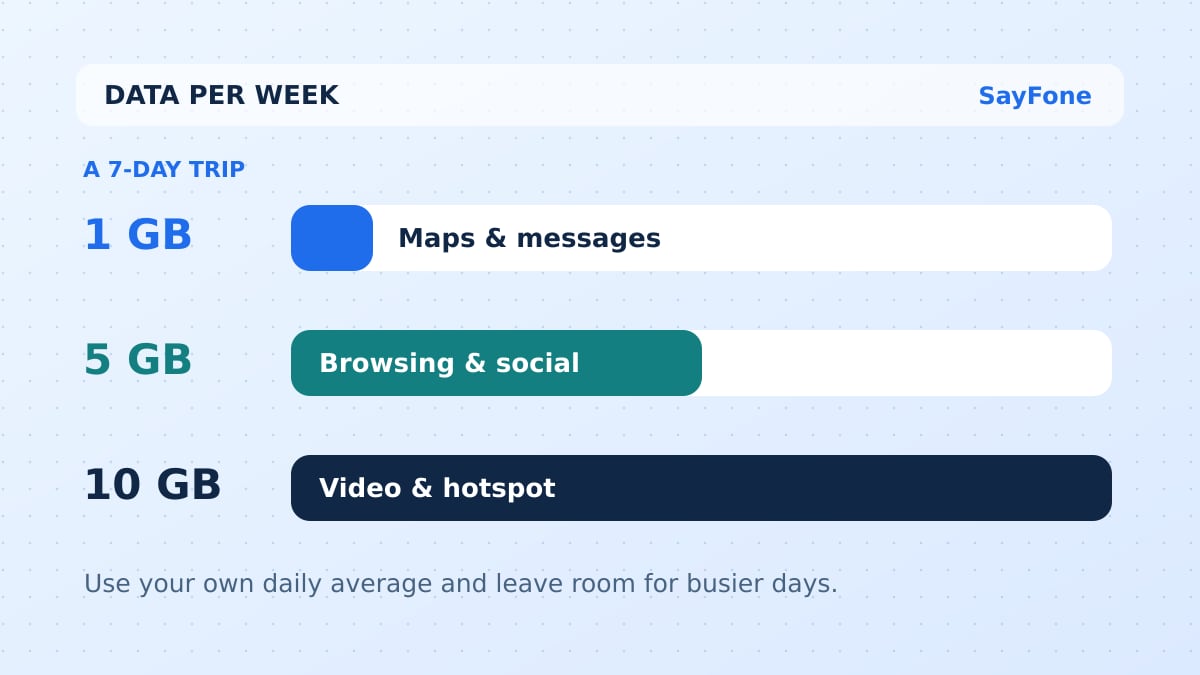
For a week abroad, 1 GB can cover light use, 5 GB gives more room for daily browsing and social apps, and 10 GB makes sense for heavier use. Those are starting points. The right allowance depends on how much time you spend away from Wi-Fi and whether your phone will be streaming or sharing its connection.
The quickest way to choose is to estimate one day, multiply by seven, and leave a buffer. If you already know what your phone uses on a typical day away from Wi-Fi, start with that number. It will tell you more than a fixed promise about how many hours any app can run on 1 GB.
What 1 GB, 5 GB and 10 GB give you over seven days
| Plan size | Average per day over 7 days | Daily budget with 20% held back |
|---|---|---|
| 1 GB | 143 MB | 114 MB |
| 3 GB | 429 MB | 343 MB |
| 5 GB | 714 MB | 571 MB |
| 10 GB | 1,429 MB | 1,143 MB |
These are planning figures using 1 GB as 1,000 MB. Check the units used in your plan. A fixed allowance is normally yours to use across its validity, so you can use more on a travel day and less the next day. Some plans set daily high-speed limits. Check that separately if the plan is sold as unlimited.
Build a budget around your trip
Maps and messages: Suppose you use 100 MB a day while out, with offline maps downloaded and uploads left for the hotel. Seven days use about 700 MB. Add 25% and your target is 875 MB. A 1 GB plan can fit if its validity covers the entire trip and you can top up if your plans change.
Photos, social apps and browsing: At 500 MB a day you will use about 3.5 GB across the week. With a 25% buffer, aim for 4.4 GB. That points to a 5 GB package. A long train ride spent watching short videos or a day posting photos can use a larger share than the average.
Work calls and a hotspot: At 1 GB a day, seven days plus a 25% buffer calls for about 8.8 GB. A 10 GB plan gives you a little space. If you use video meetings, a laptop hotspot or several hours of streaming, measure one real session first. The laptop can use the allowance while it syncs files, even while you are away from the keyboard. Check your eSIM's hotspot terms before counting on tethering.
Video changes the calculation fastest
Netflix lists different data rates for its video quality settings. It gives up to 0.7 GB per hour on its medium setting, and up to 3 GB an hour for HD at high quality. If your viewing matches the latter estimate, one hour could use most of a 5 GB package. The mobile app has its own controls, so confirm the setting on the device you will travel with. See the Netflix data usage guide.
Data for navigation depends on what the app loads. Download the area on Wi-Fi, including the airport, your first hotel and the roads between stops. Google Maps can provide offline driving directions where the route lies within the download. Its offline mode does not give the same transit, cycling or walking directions as the online app. Save your public transport directions separately before leaving Wi-Fi. See the Google Maps offline guide.
The same principle applies to music and photos. Download playlists over Wi-Fi if your subscription allows it, and set cloud photo backups to Wi-Fi. Check apps for cellular autoplay and downloads. A few minutes spent setting these up can make a smaller plan last the full trip.
Measure a normal day before you buy
On iPhone, open Settings → Cellular and look at the per-app usage. The period may date back to when you last reset the statistics. Note the starting total, then check it after a day away from Wi-Fi. On Pixel, open the SIM settings and look for app data usage. Check the date range and the selected SIM before using the number as a daily estimate.
If you need 5 GB for your week but the cheapest package lasts five days, compare a longer plan with the cost of a second package. Check whether you can add data to the first profile and when a top-up starts. A lower price per GB helps only if the plan lasts through your final travel day.
When shopping for an unlimited package, look at the daily high-speed allowance, the speed after it is used, and whether tethering has a separate limit. For a work trip, a predictable fixed bucket can be easier to budget than a plan whose speed drops during a meeting.
On the SayFone travel eSIM store, compare the live options for your destination by allowance and validity. If the itinerary covers more than one country, check a regional Europe package or Asia package against every stop. Then check when the eSIM's days start so the plan lasts as long as you need it.