How to Receive SMS Abroad With Data Roaming Off
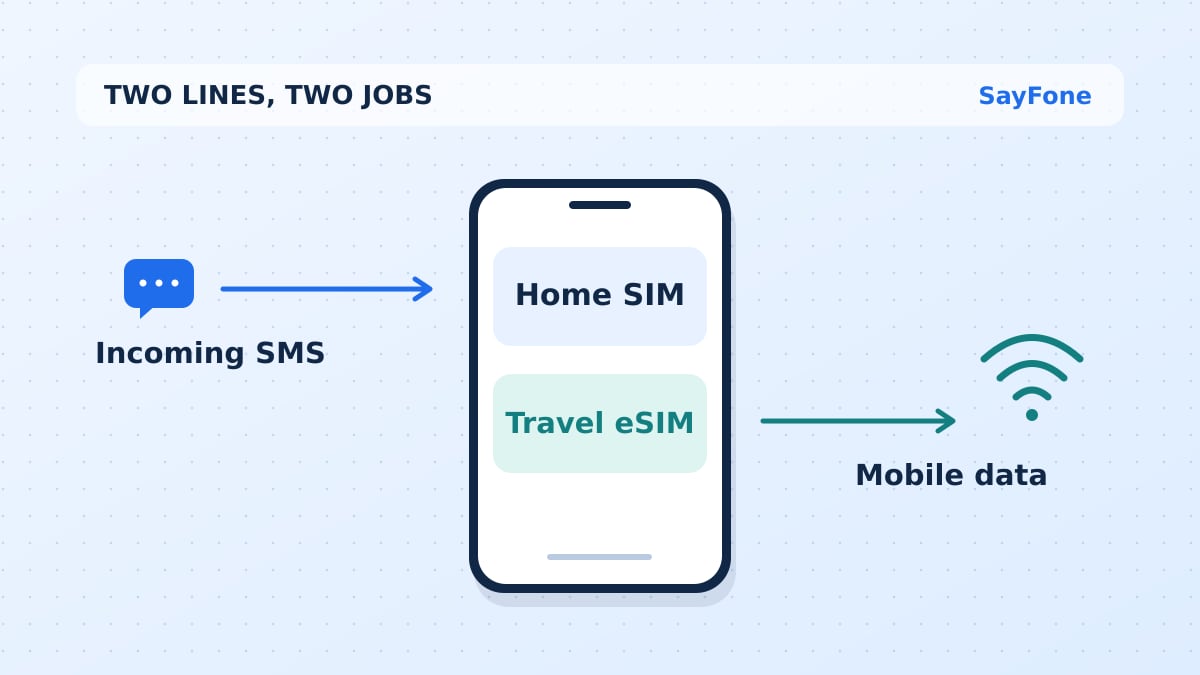
You can usually receive ordinary SMS abroad with data roaming off if your home SIM stays on and its carrier can register it on a network in the country you are visiting. Data roaming controls mobile internet. The home line still handles the texts sent to its number, under your carrier's messaging and roaming terms.
A data-only travel eSIM can run maps, email and messaging apps while the home SIM receives SMS. This setup is handy if a bank, airline or work account uses the number you already have. Delivery of a particular code can still depend on the sender, carrier and destination.
Keep the home SIM on for SMS and the eSIM selected for data
On an iPhone with two active lines, open Settings → Cellular, select your travel eSIM under Cellular Data, and turn off Allow Cellular Data Switching. Open the home line separately and turn its Data Roaming off. Keep Turn On This Line enabled for the home number. Then check whether the travel eSIM needs roaming enabled in its plan instructions.
On Pixel, go to Settings → Network & internet → SIMs and choose the travel SIM for mobile data. On Samsung Galaxy, use Connections → SIM manager to choose the data SIM. The roaming controls vary by Android model and carrier. If your phone has one shared roaming switch, check how it applies to each active SIM before you leave both on.
Changing your default line for outgoing messages does not move incoming SMS to the other number. If someone texts your home number, the home line needs service. Look for both line names in SIM settings, and confirm the home one has registered. Apple's travel eSIM instructions and Google's dual SIM preferences for Pixel show how the data selection works.
SMS, iMessage, RCS and WhatsApp use different routes
| Message type | What needs to work abroad |
|---|---|
| Ordinary SMS to your home number | Your home line must be reachable through its carrier, or through supported carrier texting over Wi-Fi |
| iMessage | An active iMessage account and an internet connection such as the travel eSIM or Wi-Fi |
| RCS | An internet connection, a compatible setup, and carrier and app support |
| MMS photo or group text | Carrier MMS support and the data settings required for that line |
| An existing account and an internet connection. A new sign-in can require number verification |
Seeing a message in the same app does not tell you which route it took. A green bubble on a recent iPhone can be RCS, SMS or MMS. Apple's message type guide explains how they differ. WhatsApp also explains that switching SIMs does not switch the account you are signed into. Keep access to the old number if the app asks you to verify it again.
Check costs before relying on the home line
Incoming SMS pricing varies. Ask your carrier about receiving a plain SMS in your destination, sending a reply, answering an incoming call, and using picture messages. These may be treated differently. Also check what starts a day pass. For example, Verizon lists outgoing texts, calls and data among TravelPass session triggers. Your plan's current terms govern the bill.
If you turn the home line off entirely, expect ordinary SMS to wait until the line is reachable again, subject to the sender's delivery window. Airplane mode turns off cellular radios. Some carriers can still deliver texts over their Wi-Fi Calling service after you turn Wi-Fi back on, but that requires support on the phone, carrier, plan and destination. Test it before you count on it.
If a bank or login code still does not arrive
Ask someone you know to send a plain SMS to your home number. If that arrives, the SIM can receive at least that kind of text. A code from a short number or an automated sender can follow different delivery rules. Check the number stored in the account, including the country code. Use the site's supported recovery or verification options, and wait through its resend interval before requesting another code.
If ordinary texts fail too, check whether the home line shows service, whether roaming is allowed on your account, and whether the carrier has a partner in that country. Keep the travel eSIM on for internet while you contact the home carrier over Wi-Fi or data. Avoid removing either profile during this test.
Before you travel, set up an authenticator, passkey or recovery codes where your bank or account supports them. Confirm you can sign in through an official app or site. A hotel Wi-Fi connection can restore internet access while the home SIM has no signal, so a second verification method can save you a trip to a carrier shop.
For data abroad, choose a SayFone travel eSIM covering your itinerary and keep the home number for texts if your carrier allows it. If you need to reach a hotel or landline while the home SIM is off, see how to call a phone number over a data-only eSIM.