Do eSIMs Work on Cruise Ships? At Sea vs. In Port
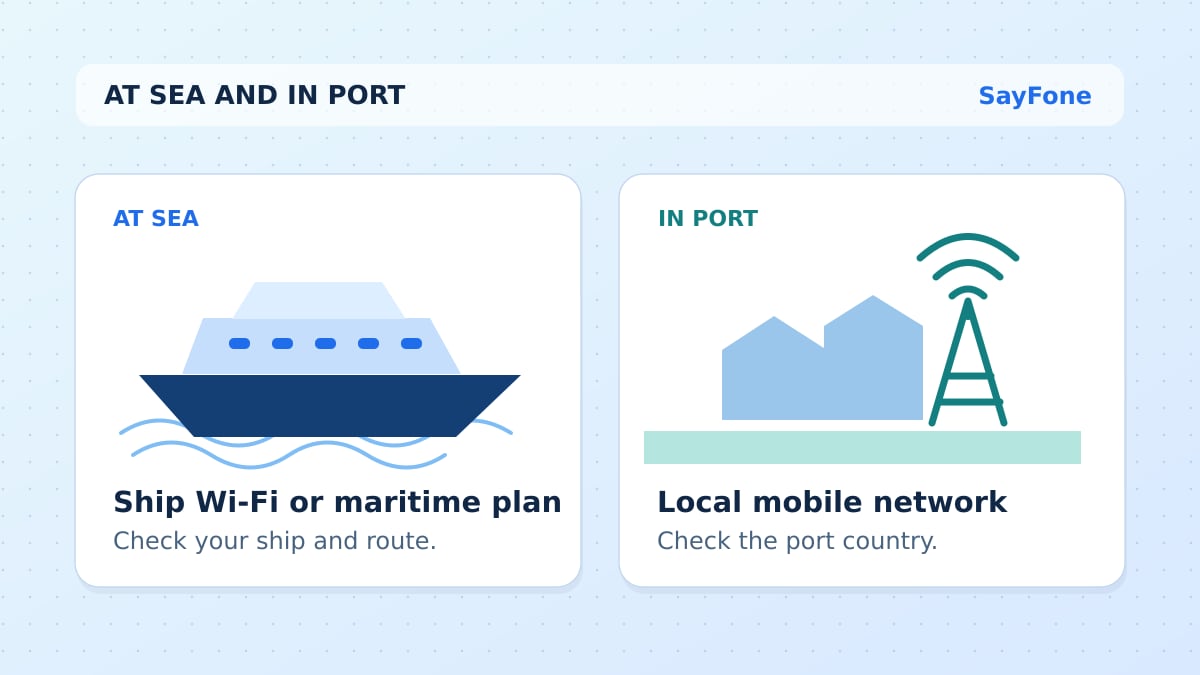
A standard travel eSIM works on compatible land networks in covered ports and near shore. Once the ship moves beyond those towers, you need the ship's Wi-Fi or a plan that explicitly covers a maritime network on your ship. A regional eSIM with “Caribbean” in its name can cover several islands without covering the water between them.
Make two lists before booking any data. Put the ports where you need maps, transport and messages on one list. Put the days when you need internet on board on the other. The best purchase depends on both lists.
Which connection works on each part of a cruise?
| Where you are | Connection to look for | What to verify |
|---|---|---|
| In port or on a shore excursion | Land-based travel eSIM, local SIM or home roaming plan | The country or territory is included and the local partner has coverage |
| Sailing close to shore | A compatible shore network if reception reaches the ship | Which network the phone actually joined |
| At sea | Ship Wi-Fi or a separate maritime service | Ship, sailing, device and package terms |
| Docked at a private island | Whichever land service or island Wi-Fi the operator provides | Coverage and access for that stop |
Ship Wi-Fi connects your device to an onboard Wi-Fi network. Maritime cellular service makes the ship appear as a cellular network to your phone. It can be billed through your mobile carrier or through a separate package. Cellular at Sea describes the difference between shore and shipboard networks. Check the ship and the terms of the line you plan to use.
Some providers sell cruise eSIMs with a named maritime partner. Check the ship list and route conditions before assuming one will work aboard your sailing. For example, Saily explains that its cruise plan has a separate at-sea coverage rule. A port plan and a maritime plan can solve different parts of the same trip.
How to check a Caribbean itinerary
Open the itinerary and list the ports by country or territory. For a sailing with stops in Nassau, San Juan and St. Thomas, check The Bahamas, Puerto Rico, and the U.S. Virgin Islands individually. Check your departure port separately if you need data there. A plan sold for a region can list some of those destinations and exclude others.
If a port has only a brief stop, decide whether you'll need data to meet a tour, check transport changes or use a map. Download tickets and save meeting addresses on Wi-Fi. Then compare a Caribbean eSIM plan with the single-destination plans for the ports where you will actually use it. The broader plan makes sense if the included list matches your sailing and the validity lasts across all shore days.
For a Mediterranean sailing, use the same check. Barcelona, Marseille and Genoa mean Spain, France and Italy. If your route also stops outside the countries listed by a particular Europe plan, cover that stop separately or decide you can manage with Wi-Fi.
Avoid switching onto a ship network by accident
When you are ready to use only ship Wi-Fi, turn airplane mode on and then turn Wi-Fi back on. Join the ship's network and follow the operator's sign-in or package instructions. This keeps the cellular radios off while you use Wi-Fi. A cellular network name such as “Cellular at Sea” or “901” can indicate shipboard cellular service. Ask your carrier what it charges before choosing that network.
Once you are in port and ready to use the land plan, turn airplane mode off and select the travel line for data. Confirm the network is a supported local partner. Use the travel eSIM roaming settings for that line, and consider switching the home line off if you have no need for calls or texts. Test a web page before leaving the pier.
Compare port data and ship Wi-Fi as two purchases
Open your booking and check what the cruise line charges for the full trip, a single day, and any extra devices. A plan may let one device connect at a time, or may price each device separately. Royal Caribbean lists its onboard internet options and gives booking-specific details through its planner.
If you need internet only on shore, budget for the ports and keep a few offline activities for sea days. If you need internet for work or calls aboard, price the ship package or a supported maritime plan for those days. A port eSIM can still be useful for transfers after the ship Wi-Fi connection ends.
SayFone's travel eSIM plans list their land destinations. Check the countries, allowance and start rule before buying. For a cruise with several days between your first and last port, choose the activation date carefully so the plan still has days left for the last stop.